OfficeSmile Basics
To fully understand how OfficeSmile works.
Why do I have two different passwords?What are the steps to use the OfficeSmile software?What is the difference between officesmile.pro and officesmile.app?How does online payment work?How should my browser be configured for OfficeSmile to work properly?Why do I have two different passwords?It is important to distinguish on one side, the OfficeSmile account of your dental office, and on the other side, your OfficeSmile software user accounts. Both consist of a username and password, but they are completely different:
- The OfficeSmile account of your dental practice contains your user accounts. You access it by identifying yourself with your email address and the password you chose when creating your account. The data it contains relates only to you. Essentially, this is where you can view and renew your subscription, lock or unlock your access to OfficeSmile, and submit support requests to us.
- Your OfficeSmile software user accounts are much more important and sensitive, as this is where you work on a daily basis and handle your patient data. You have one for each of the employees in your practice who use OfficeSmile (yourself, your secretary, your dental colleagues, etc.). You can access it using the link you received by email after your registration and which you can also find on your firm's account page. Once you are on the software entry page, you can log in with the user ID and password that you also received by email after your registration.
What are the steps to use the OfficeSmile software?
- First step: create your dental practice account.
- Second step: within 48 hours maximum, you will receive by email the username and password for your first access to OfficeSmile. Your 14 day free trial begins the day you receive this email. Remember to check your spam!
- Third step: you go to officesmile.app and log in with the username and password you just received by email. As soon as you are logged in, you are in the OfficeSmile software and you can use all its features.
What is the difference between officesmile.pro and officesmile.app?officesmile.pro is the address of the OfficeSmile website. This is where you are right now! And that's where you've created your practice account and where you can, among other things, manage your subscription and get help.
officesmile.app is the address of the OfficeSmile software. This is where you work with your patient data every day, as long as you have an active subscription.
officesmile.app is the address of the OfficeSmile software. This is where you work with your patient data every day, as long as you have an active subscription.
How does online payment work?To pay for your OfficeSmile subscription, you must log in to your practice account and click on the red button button: "Subscribe for one year" or "Extend your subscription period by one year". A few hours later, you'll receive an email containing a payment link. Click on this link to open a window like this: 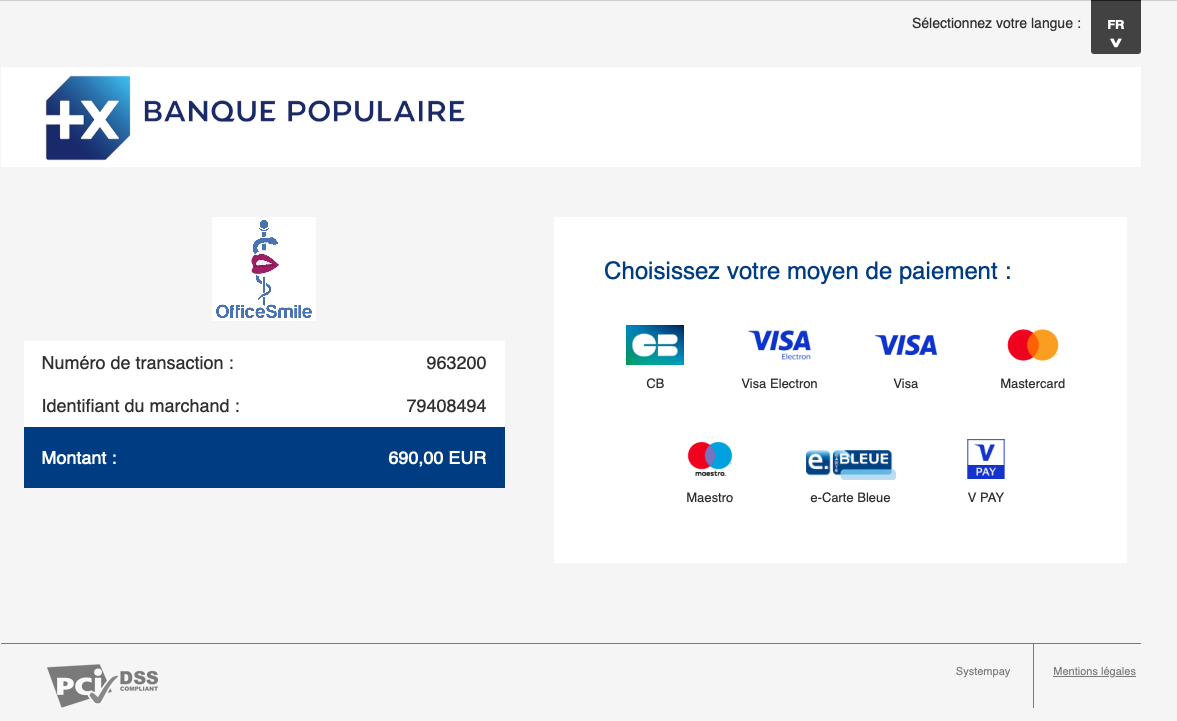 Click in this window on the right on the type of bank card you wish to use to make this payment. You get a second window like this:
 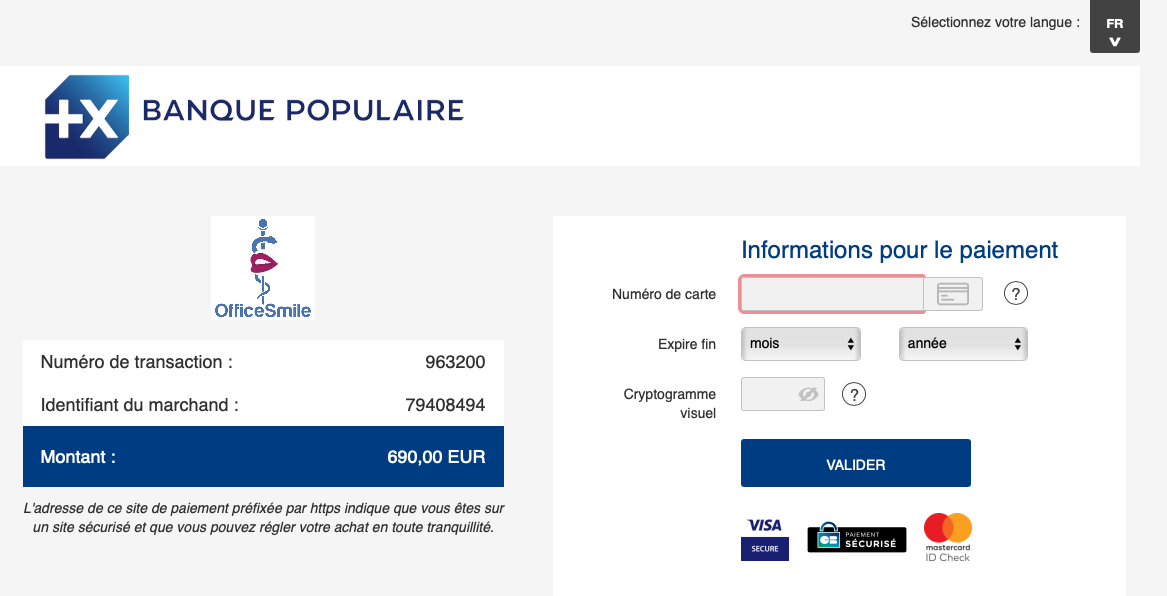 Fill in the payment information form with your bank card details and validate.
Depending on the security system that protects your card, you may be required to take other actions in order to validate your payment. Continue until you get confirmation that your payment has been accepted: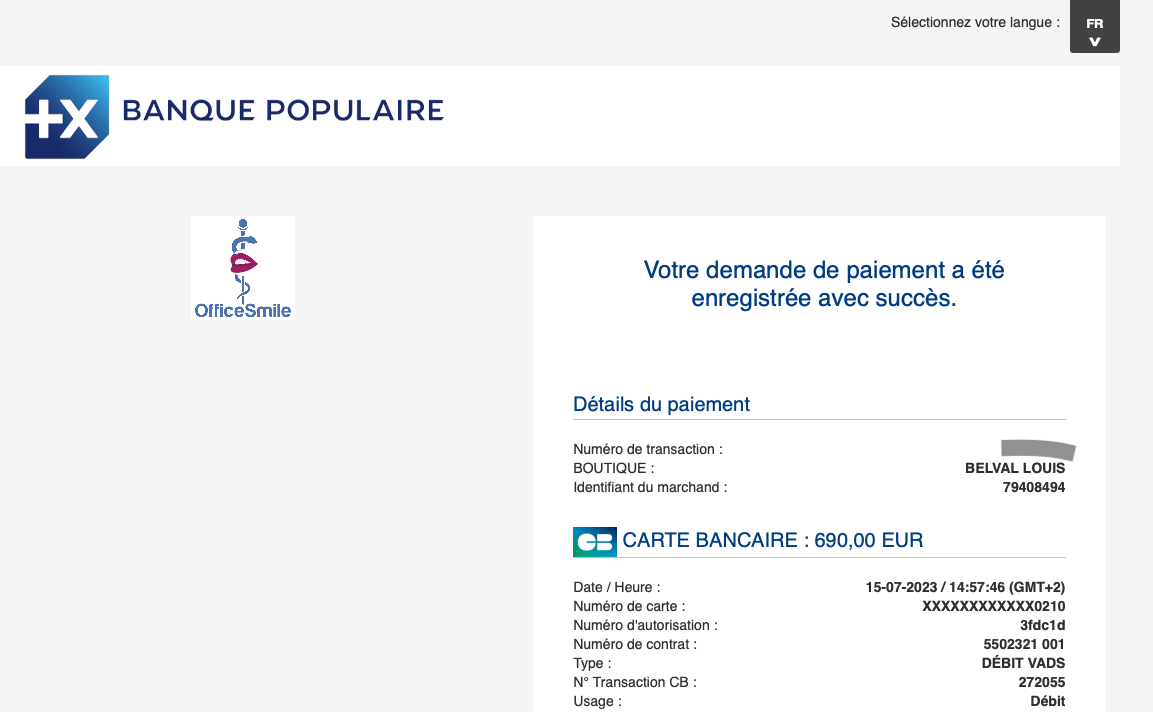 Once your payment has been accepted, your OfficeSmile subscription will be activated at maximum within the next 48 hours.
Important: online payment forms are only managed by a banking institution. Your bank card details are never transmitted to the OfficeSmile team.
Click in this window on the right on the type of bank card you wish to use to make this payment. You get a second window like this: Fill in the payment information form with your bank card details and validate.Depending on the security system that protects your card, you may be required to take other actions in order to validate your payment. Continue until you get confirmation that your payment has been accepted:
Once your payment has been accepted, your OfficeSmile subscription will be activated at maximum within the next 48 hours.Important: online payment forms are only managed by a banking institution. Your bank card details are never transmitted to the OfficeSmile team.
How should my browser be configured for OfficeSmile to work properly?For OfficeSmile to work properly, you only need two things:
- Cookies are allowed for officesmile.app.
- JavaScript is enabled.